Remove the Temporary Files (including Windows.old) on Windows 10
- 时间:2020-10-11 15:17:18
- 分类:网络文摘
- 阅读:164 次
Recently I found out on my C:\ there is a folder `windows.old` probably this is due to the fact that I refreshed my Windows 10 using a Recovery software from Microsoft.
Can I safely delete Windows.old Folder?
Yes, The `windows.old` contains the previous Windows installation files, and is scheduled to be deleted after 30 days by OS. Prior to then, those files are protected and can’t be deleted unless you use the Storage sense.
Go to Settings and Navigate to Storage
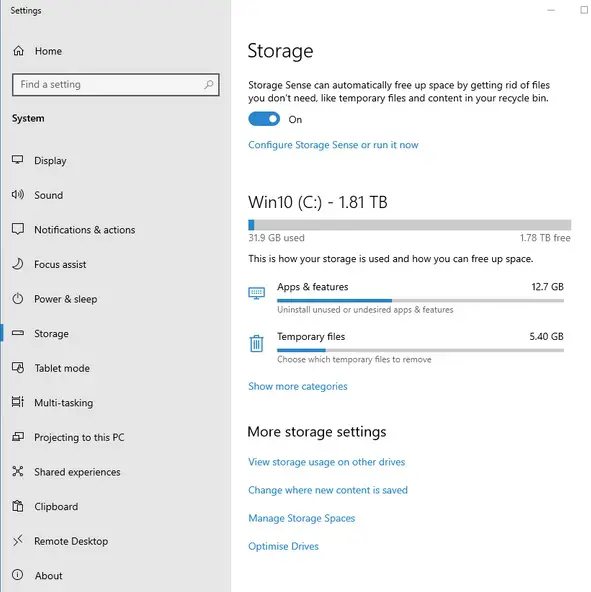
view-storage-settings-windows-10
Select the Temporary Files, you will see Previous Windows Installation, Tick it and Click Remove.
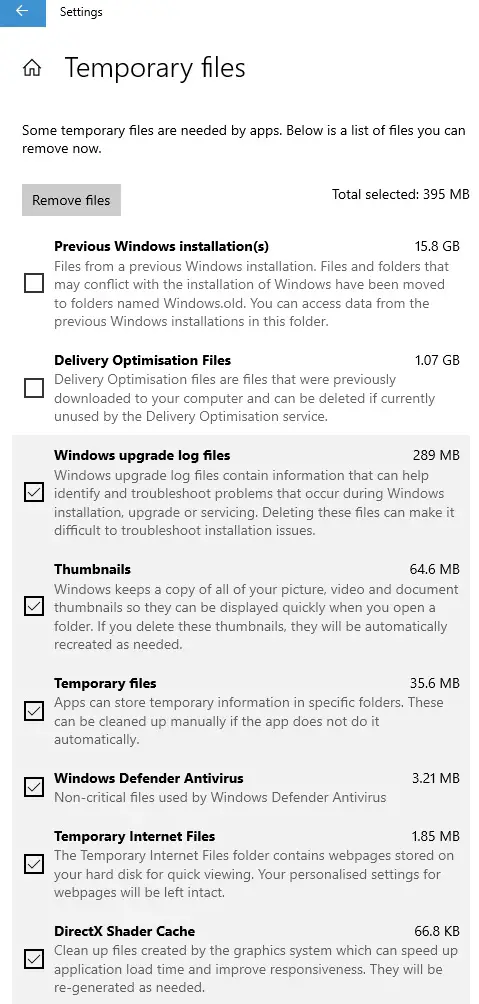
settings-remove-temporary-files
By default, the Temporary Files will be kept 30 days before they are automatically removed. You can configure the Storage sense to remove them immediately or set a shorter expiration.
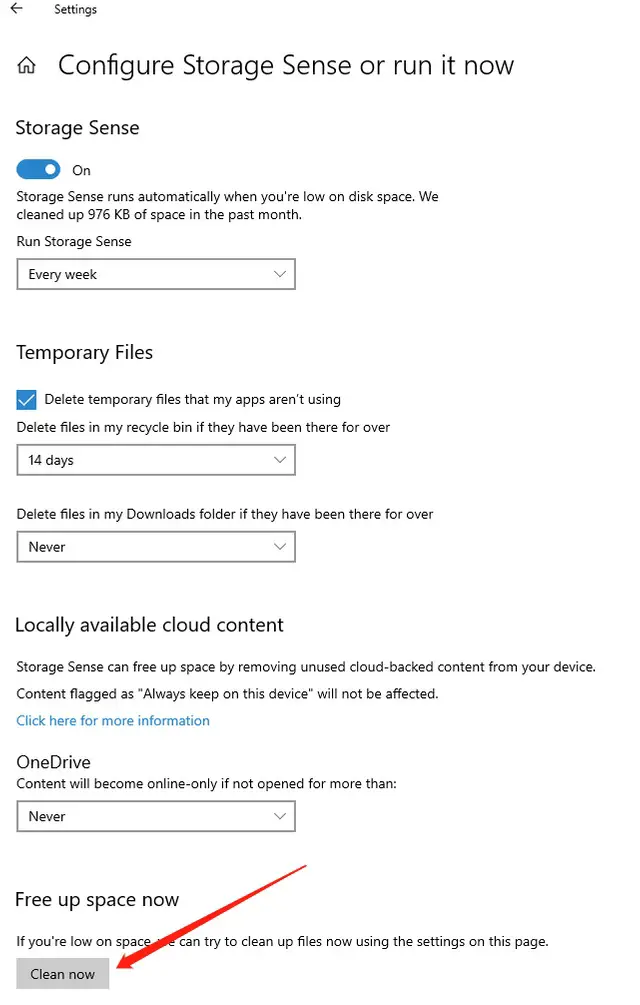
configure-storage-sense-or-run-it-now
You can also configure to let it clean the files every day, week or month. This should free up your harddisk space.
–EOF (The Ultimate Computing & Technology Blog) —
推荐阅读:贤妻良母发表日志:秋雨秋思何茫茫 关于元宵节的作文300字 写人作文“无赖”潘胜豪作文400字 我的读书生活700字 第一次洗红领巾作文100字 咀嚼人生作文1000字 喝酒的故事(文/白水先生) 写人作文可爱的QQ脸作文500字 难忘第四天 我心中的好书
- 评论列表
-
- 添加评论