Build Your First Node.JS Unikernel with OPS
- 时间:2020-10-11 16:01:36
- 分类:网络文摘
- 阅读:142 次
Unikernels are a newer way of deploying your software to servers. Some liken it to things like heroku or serverless or other “no ops” type of provisioning because they don’t come with shells or ssh by design, but there are many other hidden benefits as well. Unikernels are typically much faster at runtime than linux, much faster to boot, are way more secure and are tiny in comparison to normal linux vms.
This is a programmer’s blog though so enough with the hype – let’s run our first node.js unikernel. First goto https://ops.city and download OPS. It’s a simple tool that will allow us to build and run unikernels locally on our own laptop. I’m using a mac for this example but linux works just as well.
Download by pasting this into your shell:
1 | curl https://ops.city/get.sh -sSfL | sh |
curl https://ops.city/get.sh -sSfL | sh
If you don’t like to install via that way you can also build from source which is located at https://github.com/nanovms/ops
Let’s create a project directory to store our code in:
1 | mkdir nodejs && cd nodejs |
mkdir nodejs && cd nodejs
Now put this into a file hi.js:
1 2 3 4 5 6 | var http = require('http'); http.createServer(function (req, res) { res.writeHead(200, {'Content-Type': 'text/plain'}); res.end('Hello World\n'); }).listen(8083, "0.0.0.0"); console.log('Server running at http://127.0.0.1:8083/'); |
var http = require('http');
http.createServer(function (req, res) {
    res.writeHead(200, {'Content-Type': 'text/plain'});
    res.end('Hello World\n');
}).listen(8083, "0.0.0.0");
console.log('Server running at http://127.0.0.1:8083/');What this will do is spawn a small little webserver on port 8083.
Now we can run it via this command line:
1 | ops load node_v11.15.0 -p 8083 -f -n -a hi.js |
ops load node_v11.15.0 -p 8083 -f -n -a hi.js

nodejs-ops
Let’s briefly go over what we told OPS to do. First we told OPS to download a node.js package – this package contains the node interpreter but also some other libraries it needs to run. Then we assigned it the port 8083 and lastly past it an argument to point at the hi.js file.
It’s now running let’s try to ping it with curl:
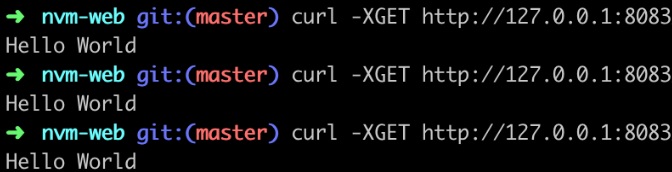
nvm-web-hello-world
Yep – looks like it worked. Cool – you just built your first node.js unikernel in just a matter of minutes.
OPS has a lot more functionality than this that you can explore but we just wanted to show you something to get going fast.
I hope this sparks your imagination – visit https://github.com/nanovms/ops – star it, fork it, download it and let me know what you build!
–EOF (The Ultimate Computing & Technology Blog) —
推荐阅读:Bring Your Multi-Site Development Work To The Next Level With A How to Create Killer SEO Content on a Budget Learn to Achieve Your Goals with 5 Secrets of Great Bloggers What is Cornerstone Content And Why It’s Important How to Attract Female Readership For Your Blog Double your traffic with White Hat SEO techniques Blogging As Therapy: True Life Stories Of Victims And How They C 3 Reasons to Geek Out on Your Blog The Terminal Software Engineer Level Facebook Interview Tips and Guidance
- 评论列表
-
- 添加评论