Replace Harddrives when CrystalDiskInfo Shows Caution Health Sta
- 时间:2020-09-07 12:03:44
- 分类:网络文摘
- 阅读:166 次
The Harddrives failing rate is increasing year by year – and according to statistics, most harddrives’s Annualized Failure Rate (AFR) is between 0 to 2%. It is common that the HDDs fail at around 3 to 5 year’s lifetime.
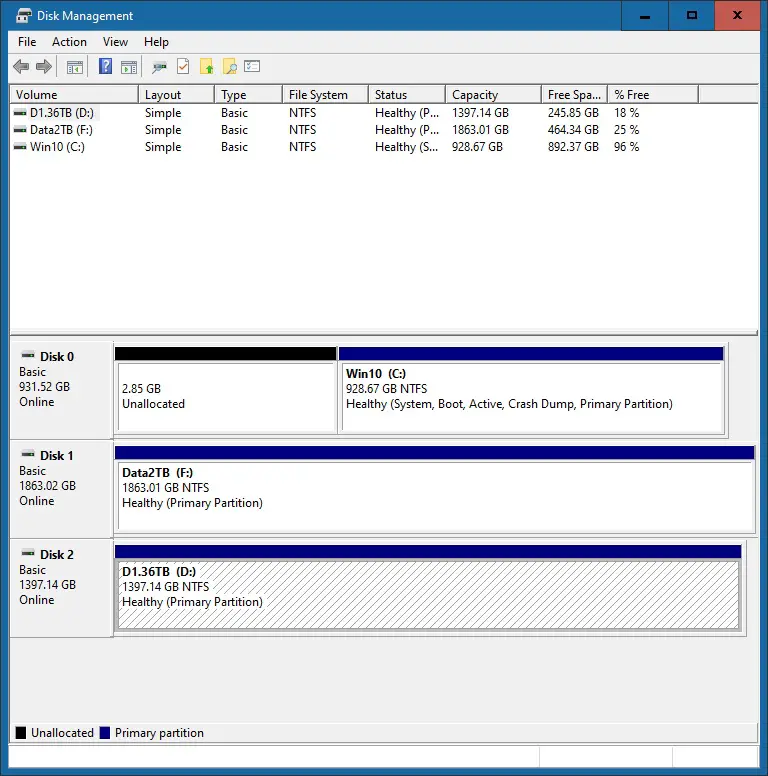
The Windows’ Disk Management shows a Healthy Status even the Drives are begining to fail. It is recommended to use the CrystalDiskInfo Software to continue monitoring the Status of the Harddrives – and replace them when the status is showing yellow “Caution”
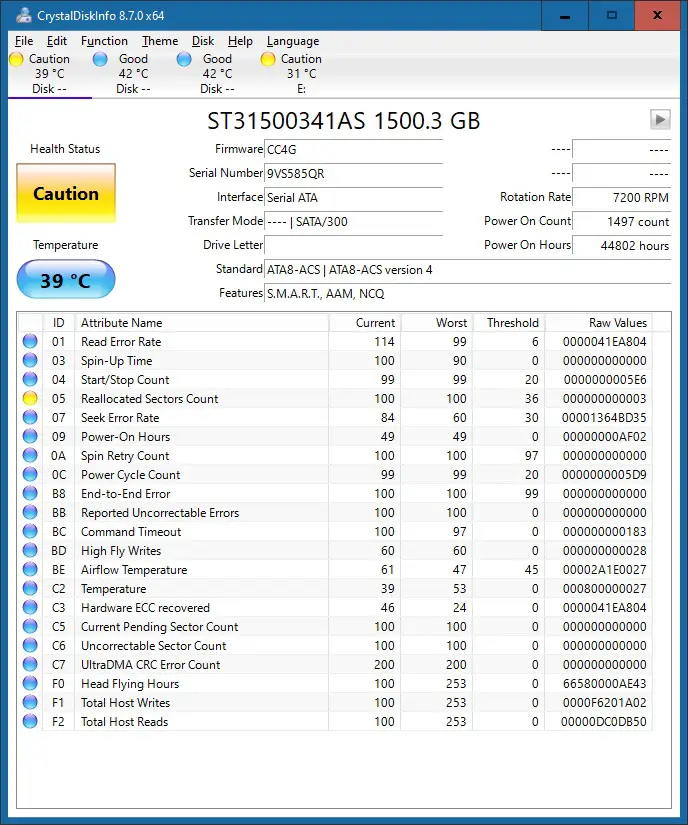
crystaldiskinfo-dying-hdd
For important data, always have a second backup. And if possible, set up a RAID 1 (Mirror) or other RAID levels (e.g. RAID 5) with fault tolerance. You can use Windows’ Storage Space/Sense to set up the RAID 1 easily.
Update: the HDD is showing more and more yellow warning signs of wearing out.
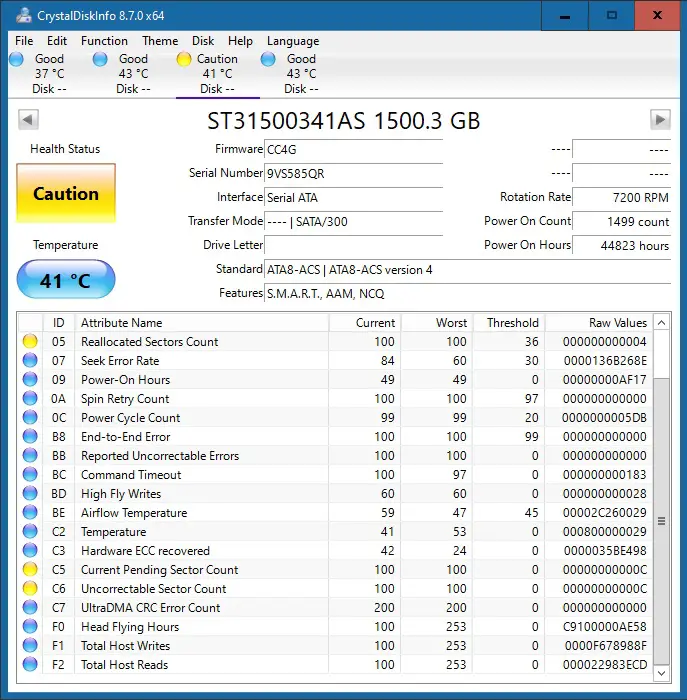
The 5 year is roughly the normal life expectancy for a HDD.
–EOF (The Ultimate Computing & Technology Blog) —
推荐阅读:第二天生产的比总数的1/4少30个 这题出给小学生做合适吗? 两个正方形的面积分别是4平方厘米和36平方厘米 原来两人共有多少钱 有一批商品需要装箱运输 三个学校共有多少人 屏蔽后台无用模块 提升wordpress运行效率 wordpress后台操作速度慢的原因及解决方法 如何禁止非管理员收到wordpress更新通知 Gravatar全球通用头像申请图文教程
- 评论列表
-
- 添加评论